| On This Page 1. What Is a UBI Telematics SDK? 2. How Drive Detection Works 3. Battery Optimization: The Make-or-Break Constraint 4. Data Compression and Edge Processing 5. The ML Layer: Scoring, Crash, and Distraction Detection 6. How the SDK Feeds UBI: Pricing and Claims 7. Privacy, Consent, and Architecture 8. Cost, Timeline, and Tech Stack 9. Real Case Study: High-Volume Data-Processing Platform 10. FAQs |
As a senior machine learning engineer at Acquaint Softtech, I have spent a lot of time on the unglamorous core of telematics: getting a phone to reliably know it is in a moving car, capturing clean sensor data, and doing it without draining the battery or the user’s trust.
A UBI telematics SDK looks simple from the outside and is genuinely hard inside, because the phone was never designed to be a precision driving instrument. We build these for insurers and InsurTech teams through our AI development services, with the detection models and the on-device efficiency designed together from the first sprint.
Some readers want to understand how telematics works, some are comparing the Cambridge Mobile Telematics experience, and a smaller group is ready to build and needs cost and stack. This guide answers the who, the how, and the why in one place, and it treats privacy as a first-class concern, because driving data is sensitive and its collection is under active scrutiny from regulators such as the US Federal Trade Commission (FTC). For the broader engineering context, our guide to InsurTech software development maps where telematics fits.
What Is a UBI Telematics SDK?
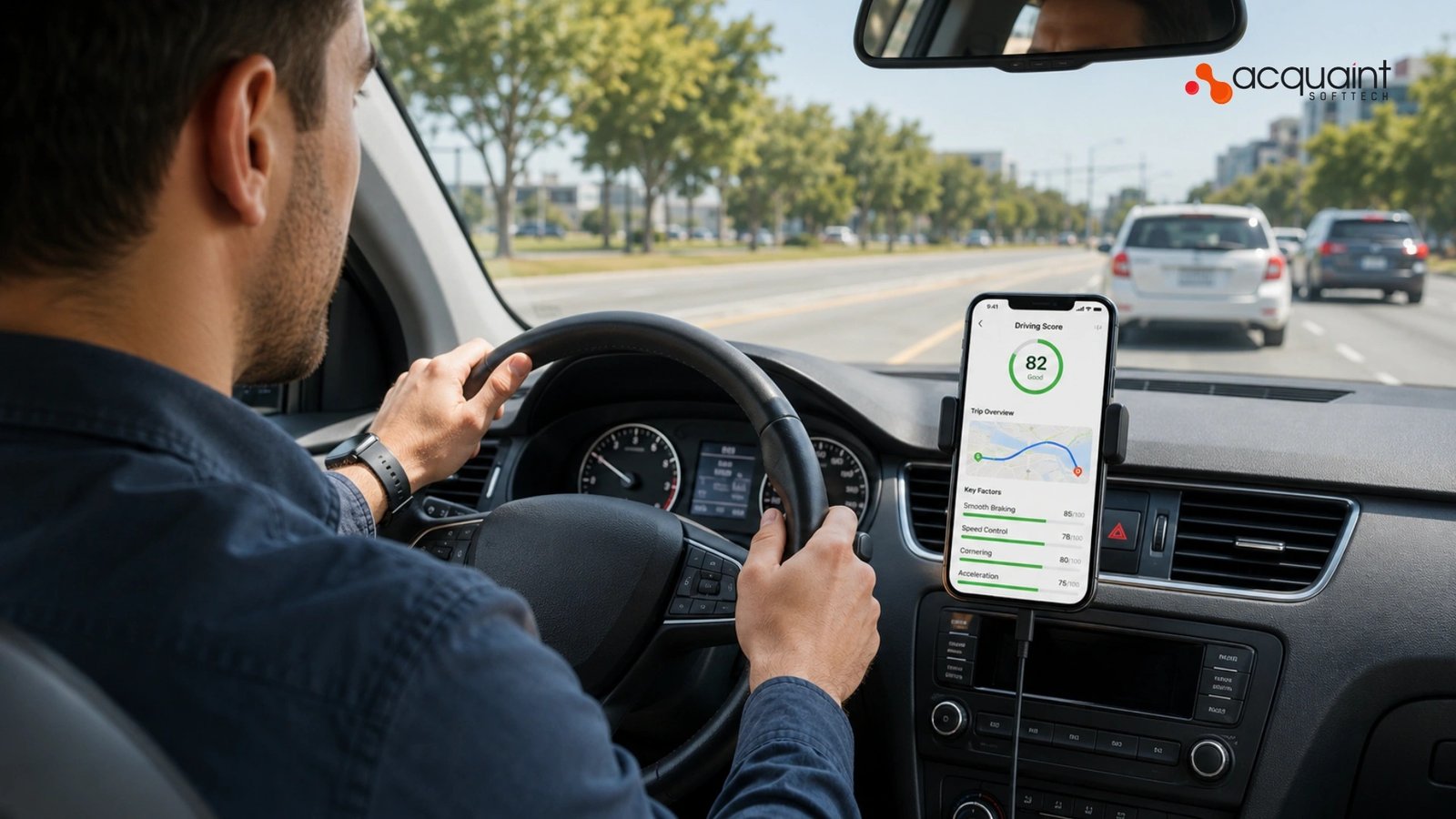
A UBI telematics SDK is a reusable software component that an insurer embeds in a mobile app to measure driving for usage-based insurance. It detects when a person is driving, records how the vehicle moves using the phone’s built-in sensors, turns that into driving events and a risk score, and sends the result to the insurer’s platform.
Cambridge Mobile Telematics, the market leader, runs exactly this kind of phone-based sensing across tens of millions of users, optionally paired with a stick-on tag for extra accuracy. Building a comparable kit is core engineering work that our dedicated software development teams scope as a sensing-and-data problem, not a UI problem.
How telematics SDKs work
A telematics SDK works as a quiet background loop: it watches cheap, low-power signals to decide a drive has probably started, switches on the higher-power sensors to record the trip, processes that raw data into events on the device, compresses it, and uploads it when conditions allow.
The insurer’s cloud then refines the analysis, scores the risk, and feeds pricing and safety programs. The phone-only model is what made UBI scale, because it removed the need to ship and install hardware. The cloud-side data and model pipeline behind this is built by our hired Python developers.
How Drive Detection Works
Drive detection is the SDK’s ability to recognize, on its own, that the user has started and stopped driving, with no button to press. It matters more than any other feature, because a missed drive is missing data and a falsely detected one is noise, and both corrupt the risk score.
The technique is to lead with low-power signals and escalate only when driving is likely. The cross-platform detection layer that coordinates this is built by our hired React Native developers with native modules for the low-level sensor work.
What is drive detection, step by step
Detection runs as a tiered state machine rather than a constant GPS lock. The operating system’s activity recognition, the same cheap signal that knows you are walking or in a vehicle, provides the first hint; a significant location change reinforces it; and only then does the SDK start full sensor and GPS recording. Teams that need seamless mobile implementation often choose experienced MEAN stack developers to build and optimize these telemetry-driven workflows.
When motion and speed fall to zero for a sustained window, the SDK closes the trip. This tiering is what lets detection be both accurate and frugal, and getting the thresholds right is where most of the tuning effort goes.
Sensor fusion and ground truth
No single sensor is trustworthy alone, so detection fuses several: the accelerometer and gyroscope describe motion, the magnetometer and GPS give heading and position, and the barometer can hint at elevation change. Fusing them filters out the false positives that wreck phone-only telematics, such as a train ride or a passenger trip reading as driving.
Market leaders improve this further with an optional Bluetooth tag that supplies a second source of ground truth, which is the same sensor-fusion principle applied with hardware. The fusion and classification models are built by our hired AI and ML engineers.
Battery Optimization: The Make-or-Break Constraint
Battery is the constraint that kills most telematics apps, because a kit that drains the phone gets deleted, and a deleted app collects no data. The entire architecture is shaped by the rule that the expensive sensors, GPS above all, must be off unless the SDK is fairly sure a drive is happening.
Cambridge Mobile Telematics is explicit that it uses low-power sensing methods specifically to reduce battery consumption, and any serious build must do the same. Engineering this carefully is the difference our software product development services design for from the first sprint.
How to save battery in telematics
The core tactic is to gate the costly sensors behind cheap ones: use the operating system’s low-power activity and significant-location signals to wake the SDK, and only then spin up GPS and high-rate motion capture. Beyond that, the SDK should adapt its sampling rate to context, batch sensor reads instead of waking the processor constantly, and shut everything down the moment a trip ends.
Respecting the platform’s background rules, iOS background-location modes and Android foreground-service and Doze constraints, is mandatory, since fighting the operating system both drains battery and gets the app throttled. The infrastructure and background-execution tuning behind this is handled by our hired DevOps engineers alongside the mobile team.
Data Compression and Edge Processing
Raw sensor data is enormous: sampling the accelerometer and gyroscope dozens of times a second produces far too much to upload as-is, especially on mobile data. The answer is to do the work on the device and send a fraction of the data, which is the single biggest lever on cost, battery, and reliability.
Done well, the phone uploads compact trip summaries and event records rather than raw streams. The data-store and pipeline design that receives and serves this efficiently is where our database optimization services focus.
Process at the edge, upload the summary
Edge processing means the SDK computes the meaningful output on the phone: it detects hard braking, harsh cornering, speeding, and phone distraction as events, summarizes the trip, and keeps only a compressed trace rather than every raw reading. Standard techniques layer up, downsampling where high resolution adds nothing, delta-encoding sequential readings, and packing the result into a compact binary format before a final compression pass.
The payoff compounds: less data means less upload, less battery, lower cloud cost, and faster scoring. This on-device computation is the same discipline that turns huge raw data into fast, usable output, a theme in our guide to integrating AI and machine learning.
The ML Layer: Scoring, Crash, and Distraction Detection
The intelligence in a telematics SDK is a set of models that turn motion into meaning: classifying driving events, scoring risk, detecting crashes, and distinguishing a driver from a passenger. Some of this runs on the device for speed and privacy, and some runs in the cloud where more compute and context are available, mirroring how Cambridge Mobile Telematics fuses phone data with cloud AI to filter noise and protect score accuracy.
Crash detection is the highest-stakes model, since it can trigger emergency response and a claim. These models are built and trained by our AI development teams through software development outsourcing.
On-device versus cloud, and why both
The split is deliberate. Lightweight models run on the device to detect events in real time and to avoid shipping raw data off the phone, which is both faster and more private; heavier models run in the cloud to refine scores, catch what the phone missed, and learn across the whole population.
Crash detection in particular benefits from this two-stage approach, with an on-device trigger confirmed by a cloud model that can reconstruct the event for claims. Building and maintaining these explainable AI workflows often requires a strong backend foundation, which is why many businesses choose to work with hired Laravel developers for scalable telematics and insurance platforms. Keeping these models accurate and explainable, rather than opaque, is essential when a score affects someone’s premium, and it is the standard our ML engineers hold to.
How the SDK Feeds UBI: Pricing and Claims
A telematics SDK only earns its keep when its output flows into two insurer systems: pricing and claims. On the pricing side, the driving score and event history feed the underwriting and rating engine, so a safer driver pays less and the insurer prices risk on behavior rather than proxies.
On the claims side, crash detection can open a first notice of loss automatically, with the sensor data reconstructing the incident. The pricing and risk-scoring integration connects to the kind of system described in our guide to building an insurance underwriting platform.
From crash detection to first notice of loss
The claims path is where telematics becomes dramatic: when the SDK detects a likely crash, it can alert emergency services with a location and pre-fill a claim before the driver has caught their breath. That structured, sensor-backed first notice of loss is exactly the clean intake that downstream automation needs, and it removes the slow, error-prone manual report.
The mechanics of turning that signal into an automated claim are covered in our guide to insurance claims automation. Teams adding this capability quickly often do so through our IT staff augmentation.
Privacy, Consent, and Architecture
Because a telematics SDK collects location and behavior, two of the most sensitive data types there are, privacy and consent are part of the architecture, not a policy page. The build must obtain clear, informed consent, collect only what the program needs, be transparent about use, and never quietly sell the data, a line the market leader draws explicitly and that regulators are now enforcing. Designing this correctly from the start is the kind of judgment our virtual CTO services bring before the first sensor is read.
Consent and data minimization as architecture
Practically, this means consent is explicit and revocable, the SDK records only the data the scoring actually requires, and sensitive processing happens on the device wherever possible so less leaves the phone. The architecture should make it easy to honour a deletion request and to prove what was collected and why, because that record is what satisfies a regulator and earns user trust.
The reliability and compliance of this over time, across operating-system updates and policy changes, is what our support and maintenance services are built to maintain, often delivered for insurers under their own brand through our white label development services.
Cost, Timeline, and Tech Stack
A telematics SDK is a harder build than a typical app, so a focused MVP, reliable drive detection, trip recording, basic event scoring, and upload across iOS and Android typically start around $80,000 to $120,000 and take several months, while a full kit with sensor fusion, on-device ML, crash detection, compression, and a cloud scoring pipeline runs well beyond that.
Cost scales with detection accuracy, the depth of the ML, and battery tuning, not with the screens. Most builds start with a tightly scoped discovery, which is why our discovery workshop defines the detection and data design before engineering starts.
Read Also: Beyond Screens: The Invisible Tech Powering Your Daily Life
The telematics SDK tech stack
The stack pairs native sensing with a cross-platform shell and a cloud data pipeline. Native modules in Swift and Kotlin handle the low-level sensor and background work; a cross-platform layer such as React Native exposes a clean SDK to the app; Python powers the cloud models and feature pipeline; and a time-series store plus a streaming queue ingest the uploads at scale.
The choice is about accuracy, battery, and maintainability, not benchmarks. Teams that need to add this specialized capacity quickly engage a full team of dedicated developers.
| Layer | Recommended tech | Role in the SDK |
| Native sensing | Swift / Kotlin | Sensors, background, battery control |
| SDK shell | React Native | Cross-platform integration layer |
| Cloud models | Python | Scoring, crash, distraction models |
| Data pipeline | Time-series store + queue | Ingest and serve trip data at scale |
India-based teams deliver the same engineering quality at up to 40% lower cost, and the smart path is to nail drive detection and battery on one platform first, prove the data quality, then expand features and models. Because operating systems and privacy rules change constantly, ongoing maintenance is part of the budget, which is what our version upgrade services keep current after launch.
Real Case Study: High-Volume Data-Processing Platform
Acquaint Softtech rebuilt the data-handling layer of a data-intensive platform that was drowning in manual processing, turning a slow, fragmented pipeline into a fast, reliable one. This is a real, Clutch-verified engagement, and although it is not a telematics product, it is a strong proxy because the core challenge is identical: take a large, messy stream of data and turn it into accurate output efficiently, which is exactly what a telematics SDK does when it compresses sensor streams into clean events. It is documented among Acquaint Softtech’s case studies.
The challenge and what Acquaint Softtech delivered
The client’s data handling was manual and slow, with report creation taking four days and consuming hundreds of staff hours. The team redesigned the data process end to end, and the result transformed the workflow, cutting report creation from four days to one and saving the client 200 hours every week.
Those outcomes faster processing and a dramatic reduction in wasted effort through efficient data handling map directly onto a telematics SDK, where the whole game is turning a flood of raw sensor data into compact, accurate output at low cost. It is the same data-efficiency discipline we apply when an insurer asks us to build sensing that scales to millions of trips, often supported by expert teams you can access through hiring MERN Stack developers for high-performance, data-intensive platforms.
| Outcome | Before | After | |
| Report creation time | Four days | One day | |
| Manual effort | Hundreds of hours | 200 hours per week saved | |
| Data handling | Manual and fragmented | Fast and reliable | |
FAQs
How Do Telematics SDKs Work?
A telematics SDK runs in the background of a mobile app and automatically records driving behavior. It uses phone sensors and GPS to detect trips, measure driving events, and score risk. The processed data is then sent to insurers for usage-based insurance and driver analytics.
What Is Drive Detection?
Drive detection automatically identifies when a user starts and stops driving. It uses low-power motion and location signals before activating GPS and sensors. This improves accuracy while reducing battery consumption.
How to Save Battery in Telematics?
Battery optimization starts by keeping GPS and sensors inactive until driving is likely. The SDK uses adaptive sampling and batches sensor data collection. Recording stops automatically when a trip ends to reduce power usage.
How Much Does a Telematics SDK Cost?
India-based development teams can reduce overall costs by up to 40%.
| US Cost | UK Cost | Europe Cost |
| $80,000–$120,000 | £64,000–£96,000 | €74,000–€111,000 |
What Sensors Does a Telematics SDK Use?
Telematics SDKs mainly use the accelerometer, gyroscope, and GPS for trip tracking. A magnetometer helps determine direction, while some solutions use a barometer for elevation data. Sensor fusion improves accuracy and reduces false trip detections.
How Long Does It Take to Build a Telematics SDK?
A basic telematics SDK with drive detection and trip recording usually takes several months to develop. Enterprise solutions with AI scoring, crash detection, and cloud analytics require more time. Accuracy tuning and battery optimization are the biggest timeline factors.
What Tech Stack Is Best for a Telematics SDK?
Native Swift and Kotlin are commonly used for mobile sensing and background processing. React Native can provide cross-platform SDK support, while Python powers analytics and machine learning pipelines. A time-series database and streaming infrastructure help process large volumes of trip data.